
September Update: Read, Highlight, and Heart the Verse of the Day
Small update. Real changes.
Most of what we ship does not need an announcement. A verse renders faster. A button moves a few pixels. This week is different because five things changed that you will actually see when you open the app, and one of them changes how we make decisions going forward.
Read and Highlight, Right From the Verse of the Day
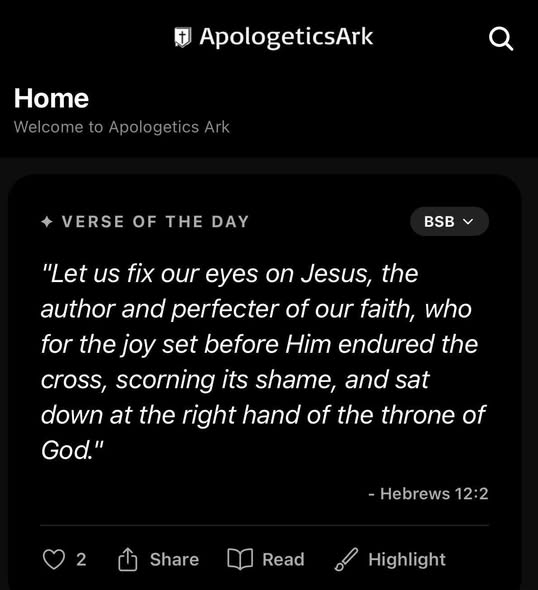
The Verse of the Day card on the home screen now has new buttons next to Share.
Read: opens the Digital Bible at that exact verse, in the translation you have selected on the card, already scrolled into place. No searching for the book. No scrolling for the chapter. One tap and you are reading the verse in its context, which is where a verse belongs.
Highlight: opens the same color picker the Bible reader uses and saves a real highlight on that verse. It shows up in the reader, it shows up under My Ark, and if you are signed in it syncs to your other devices. Highlighting is a Pro feature, same as it is inside the reader.
The reason it matters is that the Verse of the Day is the first thing most people see, and a VOTD that sits well with you should be able to be studied and highlighted easier than having to hop into the Digital Bible and scroll and click extra buttons.
The Heart Is Back
Some of you remember the heart from the early days of the app. It is back on the Verse of the Day card, and this time it does more.
Everyone sees the number: how many people liked today's verse. Signed-in users can tap the heart to add theirs, once per day, and tap again to take it back. Liking a verse also saves it to your Favorite Verses in My Ark, so the verses that stopped you are waiting when you want them again. Nobody can see who liked what. The app only ever shows the count.
A number is a small thing. But on a hard morning it is worth knowing that a few hundred other people read the same verse you did and thought it was worth a tap.
The Highlighter, Rebuilt
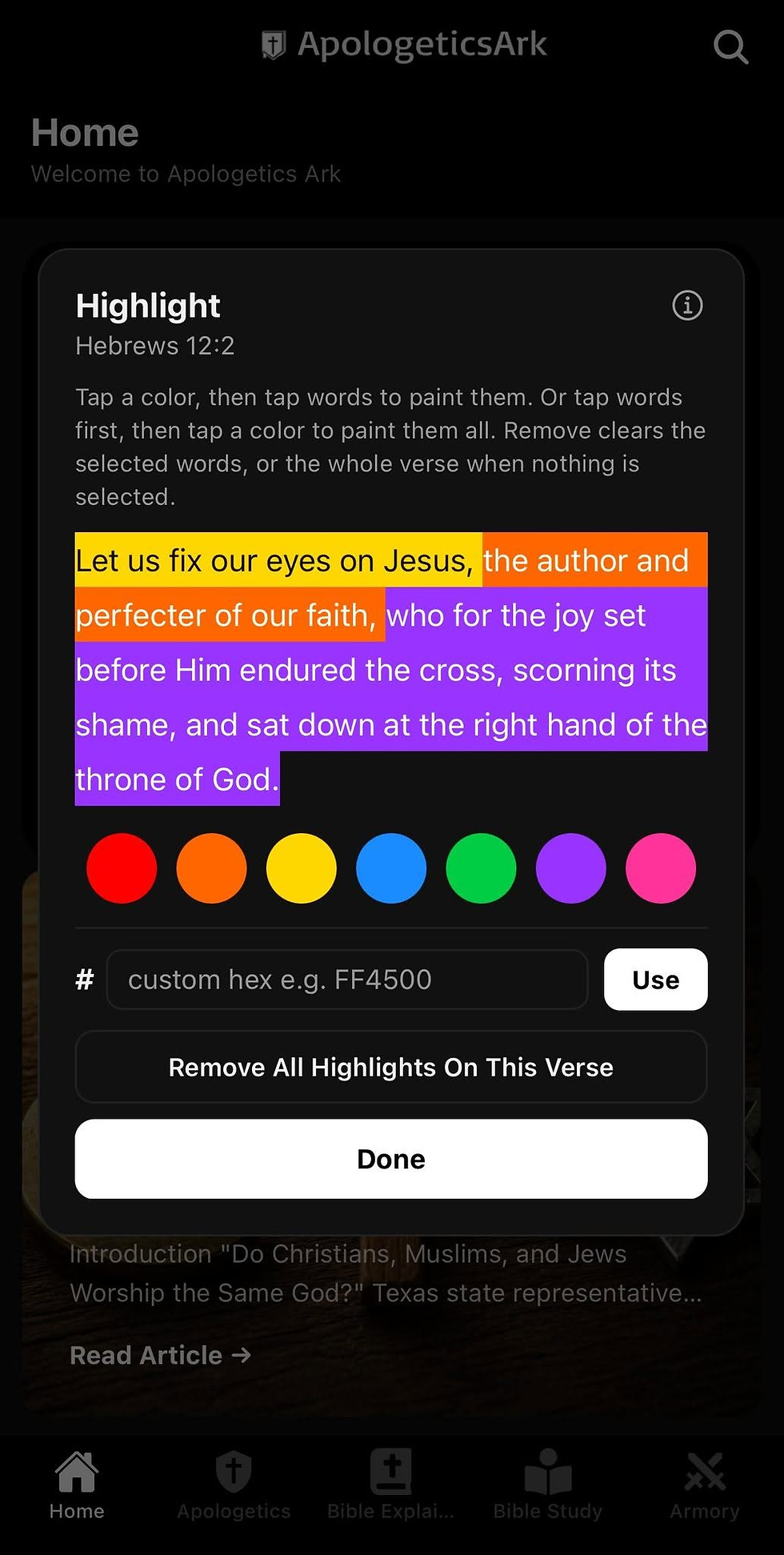
If you highlighted a phrase in the Bible reader before this week, you probably noticed the seams: little gaps between words, and once in a while an empty block of color hanging off the end of a line. That was a bug. Highlights were being painted one word at a time and the spaces between them were left out, it has been fixed now.
A highlight now paints as one continuous band, spaces included, across line breaks. Your saved highlights did not change; only how they draw.
While we were in there, we fixed how you get to it. Tap any verse and Highlight now sits right next to Copy and Share, and the picker works in whichever order your hand goes: tap a color first and then tap the words you want, or tap the words first and then pick the color. Tap a painted word to unpaint it, or use Highlight Whole Verse to do the whole thing at once. Remove clears only the words you have selected, or the whole verse if you have not selected any.
Announcements Now Live Inside My Ark
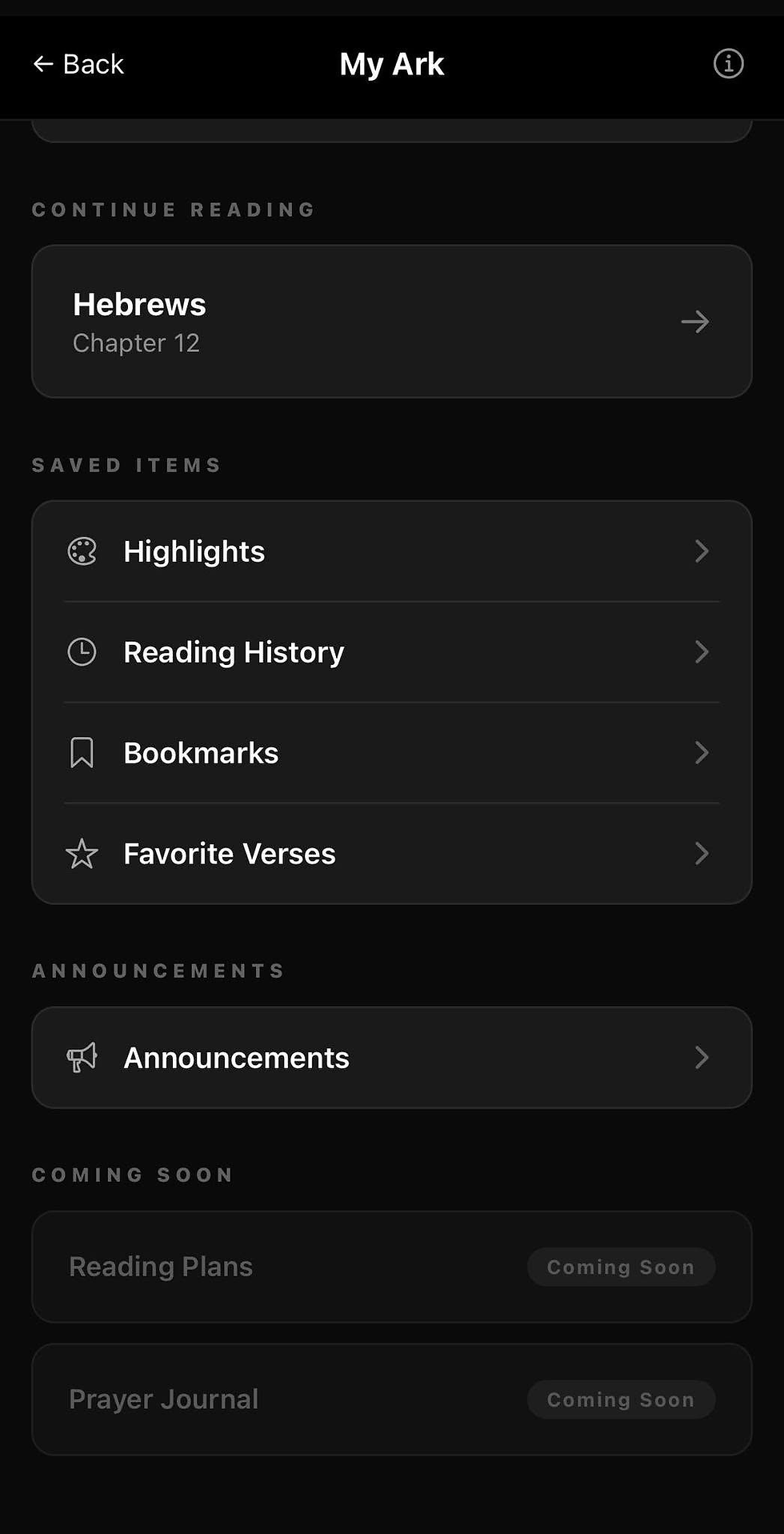
Posts like this one now appear inside the app. Open My Ark and you will find an Announcements section with the five most recent updates. You do not have to come to the website to find out what changed.
A Cleanup, and a Rule Behind It
The Verse of the Day card used to offer ten translations. The Digital Bible reader could open five of them. You could set the card to a translation, then tap through and land somewhere else. That is confusing, and it was my fault for letting the two lists drift apart.
So we made a rule. If the full Old and New Testament of a translation cannot be read inside the app, that translation is not offered anywhere in the app. As of today the Verse of the Day card, the article reader, and the verse popup all offer exactly what the Bible reader offers: BSB, KJV, NKJV, WEB, and ASV. AKJV, YLT, BBE, Darby, and Webster came off. None of those screens keeps its own list anymore; they all read straight from the reader, so the lists can never drift again. If a translation earns its way back in, it comes back everywhere at once.
What Is Next
More translations are coming to the reader, and because of the rule above, they will show up on the Verse of the Day card the same day they land. The ESV license is signed and paid; the text is on its way from Crossway. After that, the same discipline continues: one change at a time, tested before it ships, and written up here when it is worth your attention.
Thank you for reading with us. Open the app, tap Read on today's verse, and sit with it for a minute. That is the whole point. If you have any requests or issues please submit it through the Support Section in My Ark.

Comments